
If you want to upgrade your layout without changing colors, images, or branding, these quick typography tips can instantly improve your design. Typography is often the invisible force behind great visuals. When done right, it enhances clarity, professionalism, and emotional impact. When done poorly, it can ruin even the most beautiful layout.
The good news? You don’t need to be a typographic expert to see improvement. By applying a few simple adjustments, you can transform any design into something more polished and intentional.
Let’s explore 10 quick typography tips that work immediately.
1. Improve Hierarchy First

One of the most effective quick typography tips is strengthening visual hierarchy.
Why Hierarchy Matters
Hierarchy guides the reader’s eye. Without it, everything competes for attention.
To improve hierarchy:
- Use larger font sizes for headlines
- Add weight (bold) for emphasis
- Create spacing between sections
A clear hierarchy makes your design easier to scan and understand.
2. Increase Line Spacing
Crowded text reduces readability instantly.
Use Proper Line Height
A good rule of thumb is:
- Line height should be 120–150% of font size
More breathing room makes text feel clean and professional. This small adjustment alone can dramatically improve your layout.
3. Choose Fonts That Match the Mood

Typography communicates personality.
Align Font with Purpose
Ask yourself:
- Is the design modern or traditional?
- Is it playful or professional?
- Is it formal or casual?
Matching the font style with the message is one of the most important quick typography tips.
If you’re unsure about how to choose fonts, read:
How to Choose the Right Font for Your Design
4. Limit the Number of Fonts
Using too many fonts creates visual chaos.
Keep It Simple
Use:
- One primary font
- One secondary font
Two fonts are usually enough for most designs. Consistency improves professionalism instantly.
5. Adjust Letter Spacing (Tracking)

Small spacing changes can make a big difference.
Improve Readability with Tracking
Increase tracking slightly for:
- Headlines
- All-caps text
- Minimal layouts
Avoid excessive spacing in body text. Balanced tracking enhances clarity.
6. Avoid Overusing Decorative Fonts
Decorative fonts are tempting but risky.
Use Decorative Fonts Strategically
Decorative styles work best for:
- Headlines
- Logos
- Short quotes
They are not suitable for long paragraphs. Among quick typography tips, this one prevents many design mistakes.
7. Align Text Consistently

Alignment impacts structure and balance.
Stick to One Alignment Style
Choose:
- Left alignment for readability
- Center alignment for elegance
- Avoid inconsistent switching
Clean alignment instantly improves layout structure.
8. Check Contrast
Low contrast reduces visibility.
Ensure Strong Contrast
Use:
- Dark text on light backgrounds
- Light text on dark backgrounds
Avoid subtle combinations that strain the eyes. Strong contrast improves accessibility and professionalism.
9. Create Clear Font Pairings

Pairing fonts requires balance.
How to Pair Fonts Effectively
Combine:
- Serif + sans serif
- Bold headline + clean body text
Clear font pairing is one of the most powerful quick typography tips.
10. Test Your Design at Different Sizes
Designs don’t live in one format.
Scale and Review
Check your layout on:
- Desktop
- Mobile
- Print preview
Typography must remain readable across sizes. Testing prevents future problems.
Bonus: Use White Space Generously
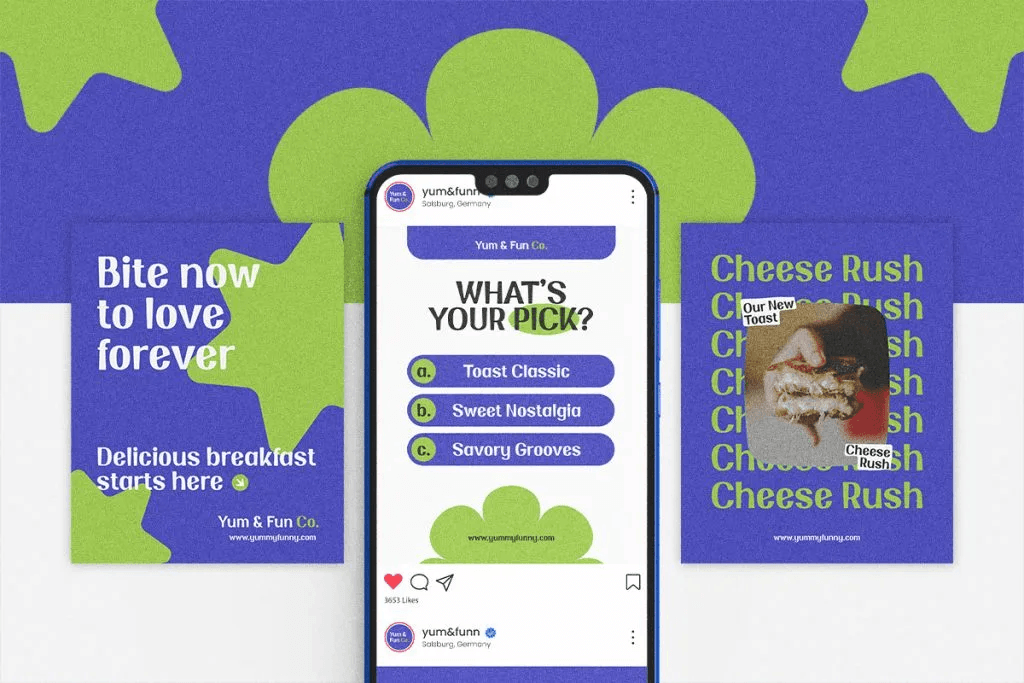
White space is not space; it is breathing space.
Why White Space Matters
Adding margins and spacing:
- Improves focus
- Enhances elegance
- Reduces clutter
Sometimes, removing text improves the design more than adding it.
Why Quick Typography Tips Work
Design improvement doesn’t always require major changes. Often, small refinements in typography produce dramatic results.
These quick typography tips help:
- Improve readability
- Strengthen visual hierarchy
- Enhance professionalism
- Increase user engagement
Typography shapes how people experience your message. When your text looks intentional and balanced, your entire design feels stronger.
Final Thoughts on Quick Typography Tips
Applying these quick typography tips can instantly elevate any design, whether it’s a website, poster, social media graphic, or brand identity. By improving hierarchy, spacing, alignment, contrast, and font pairing, you create clarity and confidence in your layout.
Typography is not just decoration; it is structure, emotion, and communication combined. Small changes in spacing, size, and pairing can transform a cluttered design into a clean and professional one.
Start with one adjustment today, and you’ll immediately see the difference.
