
Creating a strong portfolio for designers is one of the most important steps in building a successful design career. A well-structured portfolio shows your creativity, skills, and professional identity. However, many designers overlook one key element that can make their portfolio stand out: typography.
Using custom fonts in your portfolio design can give your work a unique personality and strengthen your visual identity. When used correctly, typography can help communicate your design style, organize content clearly, and create a memorable experience for viewers.
In this guide, we will explore how to make a portfolio for designers step by step while effectively using custom fonts.
Why Typography Matters in a Portfolio for Designers
Typography plays a major role in how people perceive your work. Before clients or employers read your case studies, they first notice the layout and typography.
A well-designed portfolio for designers should achieve three goals:
- Clear readability
- Strong visual hierarchy
- Consistent design identity
Custom fonts help create a recognizable style while improving the overall aesthetic of your portfolio.
If you are new to typography fundamentals, you may want to read:
The Anatomy of Typography: A Beginner-Friendly Guide
Understanding typography basics helps you choose fonts more effectively.
Step 1: Define Your Design Identity
Before selecting fonts, you must define your visual identity. Your portfolio should represent your design personality.
Ask yourself:
- Are you a minimalist designer?
- Do you focus on playful branding?
- Do you specialize in modern UI design?
Your answers will influence the fonts you choose for your portfolio for designers.
For example:
- Modern designers often use clean sans-serif fonts
- Editorial designers prefer elegant serif fonts
- Creative illustrators may use handwritten fonts
Choosing fonts that match your design style helps your portfolio feel authentic.
Step 2: Choose Custom Fonts That Represent Your Style
Custom fonts can elevate a portfolio design. Instead of relying only on common system fonts, designers often include unique typefaces that reflect their brand.
For example:
1. Gafhote Sans Serif Font

2. Gavoline Modern Sans Typeface
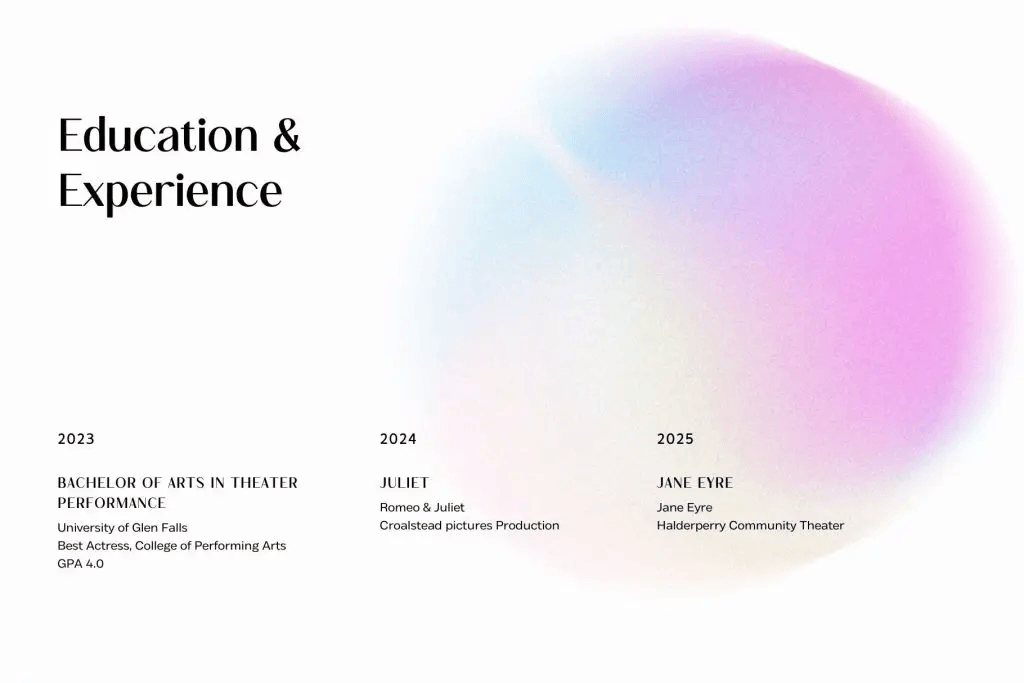
3. Govers Modern Sans Serif Typeface
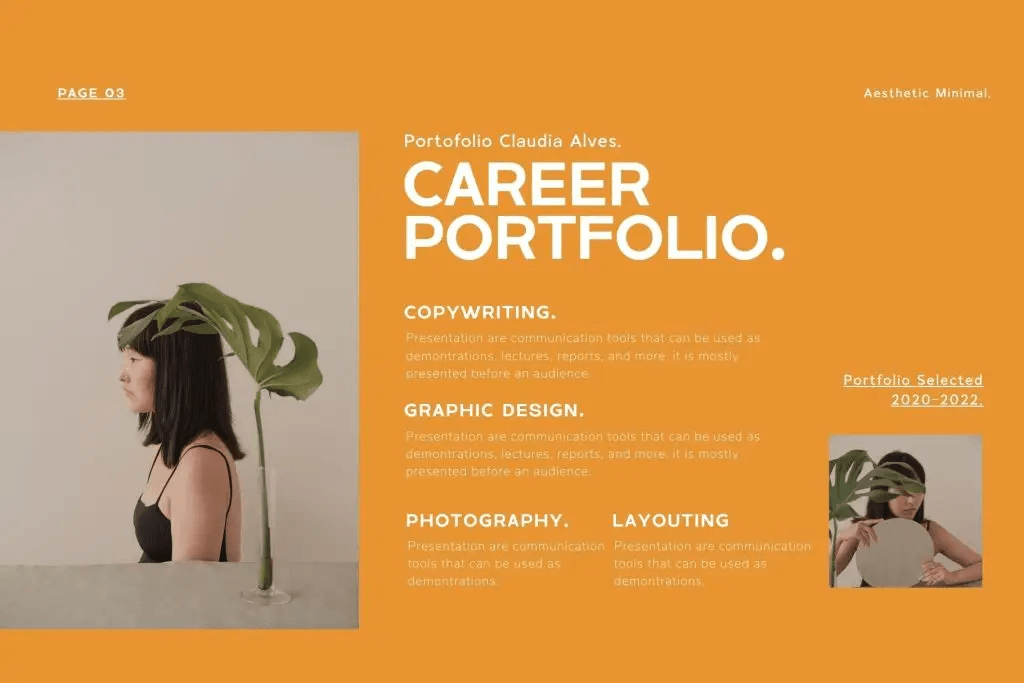
4. Tracey Jodgey Sans Typeface
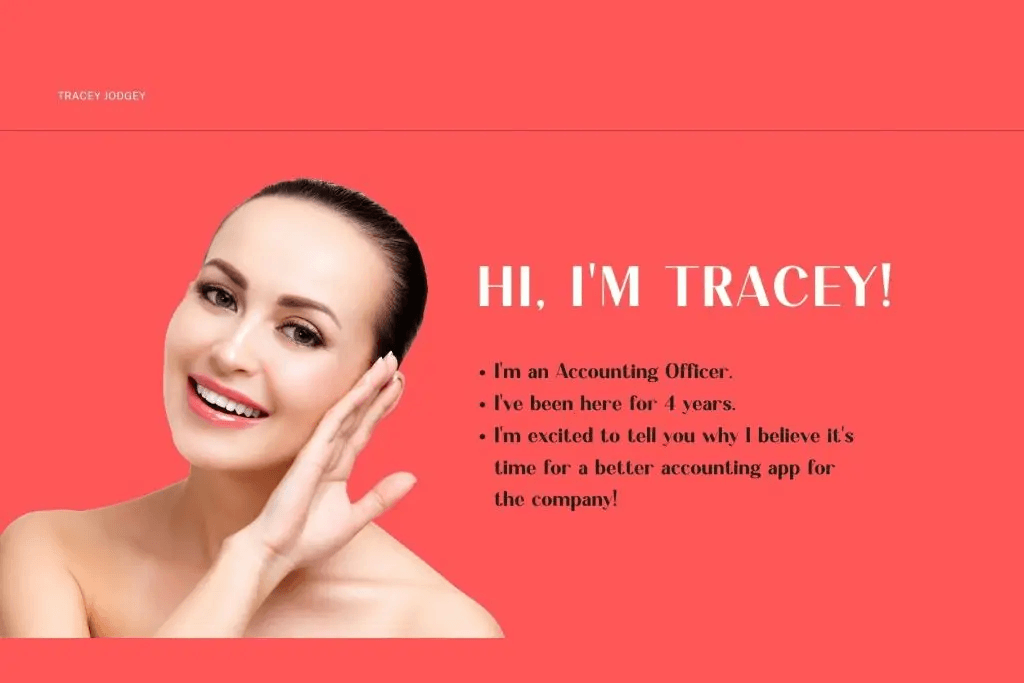
5. The Cilla Stylish Serif Font

Step 3: Create a Clear Typography Hierarchy
A strong portfolio for designers should guide viewers through your content smoothly. Typography hierarchy helps achieve this.
Your portfolio typically includes:
- Headlines
- Section titles
- Body text
- Captions
Each of these elements should use a different font size or weight.
Headline Fonts
Headlines can use expressive custom fonts to capture attention. They introduce each project or section of your portfolio.
Body Fonts
Body text should remain clean and readable. Many designers choose neutral fonts for this section.
Accent Fonts
Accent fonts are used sparingly for highlights, quotes, or project titles.
Using hierarchy correctly improves readability and professionalism.
Step 4: Showcase Custom Fonts in Your Projects
One advantage of using custom fonts is that they can become part of your storytelling.
When presenting a project in your portfolio for designers, include typography details such as:
- Font choice
- Typeface pairing
- Typography reasoning
For example, explain why you selected a handwritten font for a children’s book project or a bold sans serif for a tech brand. This approach shows clients that your design decisions are intentional.
Step 5: Build Clean Layouts Around Typography
Typography works best when supported by good layout design.
Your portfolio layout should provide enough spacing around text elements. Good spacing improves readability and visual balance.
Learn more about spacing principles here:
Leading in Typography: How Line Spacing Improves Readability
Proper line spacing helps readers navigate your portfolio comfortably.
Step 6: Optimize Your Portfolio for Digital Viewing
Most portfolios today are viewed online, so your typography must perform well on screens.
When designing a digital portfolio for designers, consider:
- Mobile responsiveness
- Screen readability
- Load speed of custom fonts
Avoid using too many large font files that could slow down your website.
Optimizing typography ensures your portfolio remains accessible and professional.
Step 7: Maintain Consistency Across Your Portfolio
Consistency is key in professional design.
Your portfolio should use the same typography system throughout:
- Same headline font
- Same body font
- Consistent spacing rules
When typography remains consistent, your portfolio feels more polished and trustworthy.
A well-structured portfolio for designers communicates professionalism even before viewers analyze your projects.
Step 8: Test Your Portfolio Before Publishing
Before launching your portfolio, review your typography carefully.
Check the following:
- Are fonts readable on different devices?
- Do headings stand out clearly?
- Are spacing and alignment consistent?
Testing helps you catch typography issues early.
Small improvements can dramatically increase the quality of your portfolio presentation.
Why Custom Fonts Make a Portfolio More Memorable
Custom fonts help your portfolio stand out from hundreds of other designers.
They create:
- A unique visual identity
- Strong brand personality
- Better storytelling through design
When typography reflects your creative voice, your portfolio becomes more memorable.
Clients and recruiters are more likely to remember designers with a distinctive visual style.
Final Thoughts on Creating a Portfolio for Designers
Building a compelling portfolio for designers requires more than simply displaying projects. Typography, layout, and visual hierarchy all contribute to the viewer’s experience.
By using custom fonts thoughtfully, you can create a portfolio that reflects your design personality while maintaining readability and professionalism. From defining your design identity to testing your typography across devices, each step plays a role in building a strong portfolio.
A well-designed portfolio not only showcases your skills, but it also tells your design story.

One Comment